If you are changing universities, switching education boards, or starting a new program, chances are the admission checklist includes a migration certificate. This document confirms your previous institution has updated its rolls and formally records your move so the new institution can register you without conflicts. Think of it like a clean handoff in sports, where one team officially passes the ball; the migration certificate is that handoff for your academic record. In this guide, you will learn what it is, why it matters, exactly how to apply, which documents to gather, and how to avoid delays—with free templates and sample applications you can copy, paste, and personalize.
Because career growth rarely pauses for paperwork, you will also see how Apex Virtual Education supports your journey with industry-expert courses and verifiable course completion certificates (Apex-issued course certificates — not official migration certificates or institutional documents) that strengthen applications and resumes. Whether you are a working professional, a lifelong learner, or a student aiming for the next tier of study, use this step-by-step playbook to move fast and stay compliant. Have you ever thought, “What if I submit everything right once and avoid the back-and-forth emails?” This is precisely how.
Migration Certificate: Definition, Uses, and Who Needs It
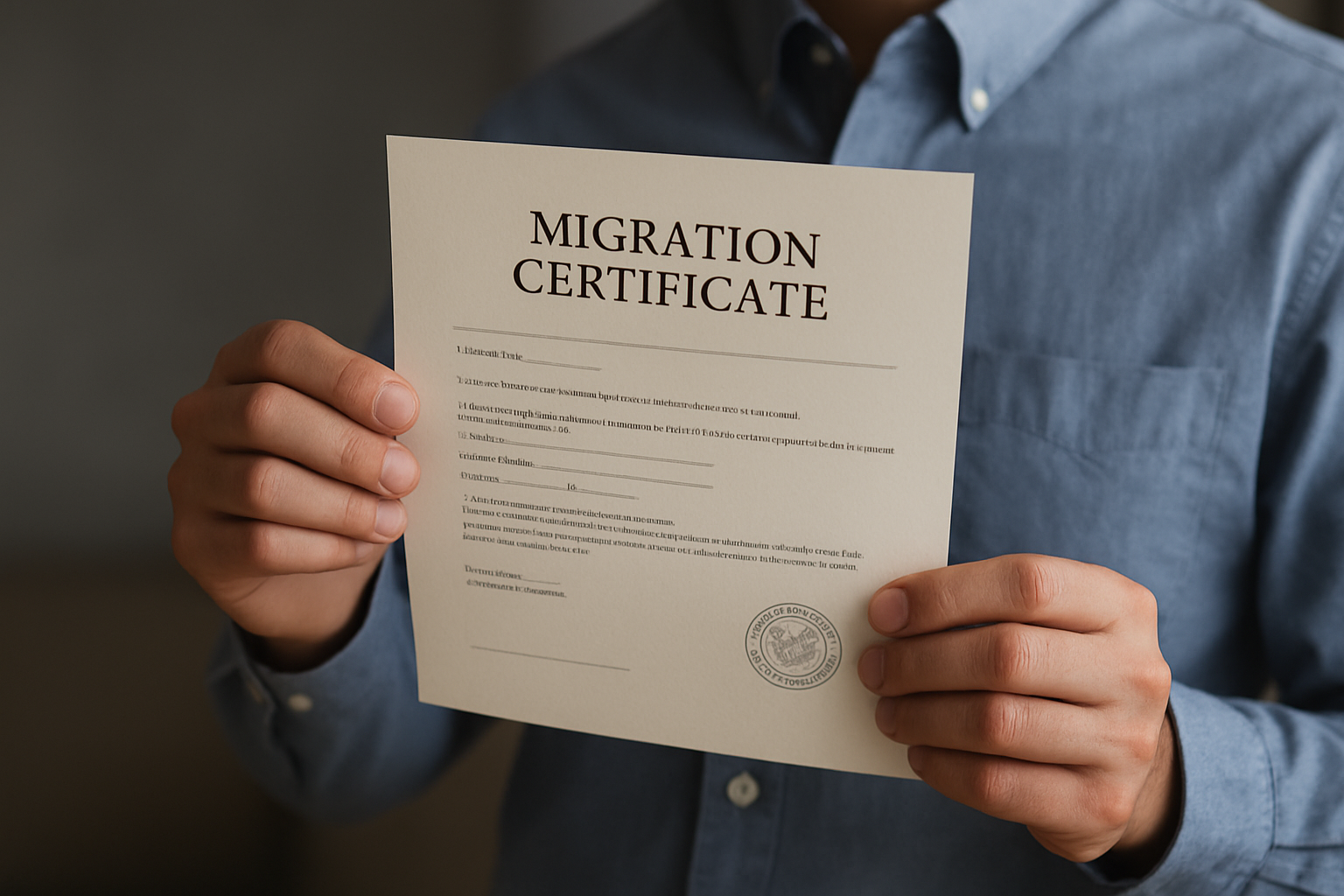
A migration certificate is an official document issued by your previous Board, College, or University stating that you have completed or discontinued studies there and are free to enrol elsewhere. It prevents duplicate enrolment, confirms your academic identity, and helps your new institution accept your records without administrative conflicts. Unlike degree parchments or mark sheets, a migration certificate focuses on movement between institutions, not the detailed results of your examinations. If you picture your academic profile as a passport, the migration certificate is the exit stamp that lets the next institution grant entry smoothly.
When might you need one, and what does it unlock? Consider these common scenarios that bring the migration certificate to the front of the queue:
- Transferring from one University to another—for example, after your first semester when relocating for work or family.
- Moving between State or National boards after secondary or higher secondary school.
- Entering a postgraduate program that requests clearance from your prior University or Board.
- Re-joining study after a gap year when admission teams want proof of your previous roll status.
- Migrating internationally where the destination institution requires formal confirmation from your last institution.
- Employer-sponsored education where the provider’s registrar needs a definitive statement of your status.
It helps to distinguish the migration certificate from similarly named documents. A Transfer Certificate is usually issued by schools and focuses on character, attendance, and date of leaving at the school level. A Provisional Certificate confirms you completed a program while awaiting the formal degree. A Degree Certificate certifies that a degree was awarded. A Transcript lists grades and credits across semesters. Each serves a unique purpose, and your new institution may ask for more than one. For quick reference, explore the comparison table later in this article to avoid submitting the wrong document.
Step-by-Step Guide to Applying for a Migration Certificate
While every Board or University has its own procedures, most follow a predictable flow. Before you begin, read the new institution’s checklist to confirm exactly what they expect—some accept digital copies, others require an original hard copy. Also, check if any extra forms are needed, such as a No Objection Certificate (NOC) or a no-dues declaration. That five-minute review can save weeks. Ready to start? Use the sequence below to apply once and track progress without panic.
- Verify eligibility and timing: Confirm that your marksheets or completion records are finalized. Many registrars only issue a migration certificate after results are published.
- Gather documents: Typical items include your previous ID (Identification), registration or roll number, final or latest marksheet, and a recent photo. Some institutions request a receipt of admission from the destination University or College.
- Download or access the form: Use the institution’s official portal or obtain the form at the registrar’s office. Many offer a digital PDF (Portable Document Format) form you can complete and upload.
- Complete the application carefully: Match spellings to your existing academic records. Even a small mismatch in your name or date of birth can delay verification.
- Pay the fee: Fees are often nominal and payable online. Keep the e-receipt, as you may need to upload or submit it with your application.
- Submit and track: If online, note the reference number. If offline, ask for an acknowledgment slip. Several institutions provide status updates via email or portal dashboards.
- Choose delivery method: Request both a sealed hard copy and, if available, a digitally signed version for faster admissions processing.
- Authenticate if required: Some destinations require attestation or notarization. Clarify with the new institution before mailing documents.
- Share with the destination: Upload or send the migration certificate as instructed. Keep a personal scan for your records.
Based on published registrar pages across universities and boards, typical processing times range from five to fifteen working days outside peak seasons, with slightly longer windows around major result announcements. Many institutions now accept digitally signed PDFs (Portable Document Format), which can reduce courier delays and speed up admissions by several days. If you are on a tight schedule, verify whether your institution offers an expedited option and ask the admissions office at your destination if a digital copy will suffice temporarily while the hard copy is in transit.
Documents, Fees, and Processing Times at a Glance
Use the table below to prepare and submit a complete file the first time. Requirements vary by country, board, and program, but these are the items most commonly requested. When in doubt, call your registrar or check the admissions page of your new institution to confirm if they accept digital copies or require originals.
| Item | Why It’s Needed | Typical Source | Pro Tip |
|---|---|---|---|
| Government-issued photo ID (Identification) | Verifies identity and matches your records | Passport office or national ID (Identification) authority | Ensure name matches your marksheet exactly |
| Registration or roll number | Links application to your student profile | Printed on marksheets, ID (Identification) cards, or portals | Double-check digits; typos are a common cause of delays |
| Latest marksheet or degree | Confirms examination status | Examination section or portal | Scan in high resolution; avoid glare and shadows |
| Fee payment receipt | Shows your application is complete | Online payment gateway or cashier | Save as PDF (Portable Document Format) and print a spare copy |
| Admission proof from new institution (if asked) | Some issuers want confirmation of destination | Offer letter or admission email | Ask if a screenshot from the portal is acceptable |
| Address for dispatch | Ensures sealed envelope reaches the right desk | Registrar’s office form | Use a reliable mailing destination with a receiving clerk |
Processing times, delivery choices, and fees are not standardised globally, but the patterns below appear frequently on institution policy pages. Treat these as directional guidelines and verify exact details with your issuer.
| Issuer Type | Where You Apply | Usual Timeline | Typical Fee | Digital Copy Offered |
|---|---|---|---|---|
| University Registrar | Online student services portal or registrar counter | 5–15 business days | Nominal; often a small administrative fee | Frequently available as a signed PDF (Portable Document Format) |
| State or National Board | Board website or regional office | 7–20 business days | Nominal; may vary by board | Increasingly available |
| Private College | College administration office | 7–14 business days | Usually nominal | Sometimes available |
| International Awarding Body | Designated credential services | 10–30 business days | Higher fees are common | Often available |
The next table helps you differentiate similarly named documents so you submit exactly what is asked on the admissions portal. Submitting the wrong document can push your file to the back of the line during busy seasons.
| Document | Primary Purpose | Typical Issuer | When It’s Requested | Can It Replace a Migration Certificate? |
|---|---|---|---|---|
| Migration Certificate | Confirms formal move from one institution/board to another | University/Board Registrar | Transfers, new admissions after prior enrolment | No, it is unique |
| Transfer Certificate | Records school-level attendance, conduct, leaving date | School administration | School-to-school moves | Usually not |
| Provisional Certificate | Confirms program completion pending degree issuance | University | Immediately after results, before degree convocation | No |
| Degree Certificate | Official evidence of degree conferral | University | Employment and higher study applications | No |
| Transcript | Detailed list of grades, credits, semesters | University or Board | Equivalency reviews, credit transfers | No |
Free Templates and Sample Application Letters
Use these ready-to-edit templates to request your migration certificate by email or post. Replace bracketed areas with your details, keep formatting clean, and attach required documents in the sequence your issuer prefers. When sending by email, combine attachments into a single PDF (Portable Document Format) where possible, and include your full name and roll number in the subject line for fast lookup.
Universal Email Template
Subject: Request for Migration Certificate – [Your Full Name], [Program/Department], [Roll/Registration Number]
Dear [Registrar/Controller of Examinations/Principal],
I respectfully request issuance of my Migration Certificate to facilitate my admission to [Name of Destination Institution/Board]. I completed [Program/Grade] in [Month, Year] under [Department/Board], with roll/registration number [Your Number].
Attached are the required documents: a copy of my government-issued photo ID (Identification), latest marksheet/degree, completed application form, and fee receipt. If you require any additional information or a No Objection Certificate (NOC), please let me know and I will provide it immediately.
Kindly issue the Migration Certificate at your earliest convenience. I would appreciate a digitally signed PDF (Portable Document Format) copy by email, with the sealed original dispatched to the address below:
[Postal Address for Delivery]
Thank you for your support.
Sincerely,
[Your Full Name]
[Phone Number] | [Email Address]
Sample Application to a University Registrar
Date: [DD Month YYYY]
To
The Registrar,
[University Name]
[City, Country]
Subject: Application for Migration Certificate – [Your Full Name], [Roll/Registration Number]
Respected Registrar,
I completed the [Degree/Program Name] in [Month, Year] under the [Department Name]. I am seeking admission to [Destination University/College] and the admissions office has requested my Migration Certificate to finalize my enrolment.
Please find enclosed: photocopy of my government-issued photo ID (Identification), the latest marksheet/degree, the completed application form, and the fee payment receipt. If necessary, I can submit a No Objection Certificate (NOC) from the destination institution.
Kindly issue a digitally signed PDF (Portable Document Format) and dispatch the sealed original to the address below. I am available for any verification you may require.
With thanks,
[Your Full Name]
[Roll/Registration Number]
[Postal Address]
[Phone Number] | [Email Address]
Sample Application to a School/College Principal
Date: [DD Month YYYY]
To
The Principal,
[School/College Name]
[City, Country]
Subject: Request for Migration Certificate – [Student Name], [Class/Year], [Roll Number]
Respected Principal,
I request the issuance of my Migration Certificate to support my transfer to [New School/College/Board]. I completed [Class/Year] in [Month, Year] at your institution under roll number [Roll Number].
I have attached the required documents, including my government-issued photo ID (Identification), previous marksheet, application form, and fee receipt. Kindly provide the certificate at the earliest and advise if any additional documents are required.
Thank you for your time and assistance.
Sincerely,
[Student Name]
[Parent/Guardian Name, if applicable]
[Address]
[Phone Number] | [Email Address]
Common Mistakes, Expert Tips, and Fast-Track Strategies
Most delays come from small errors that are easy to prevent. Admissions offices and registrars highlight the same culprits year after year: mismatched names across documents, incomplete forms, missing fee receipts, and unclear delivery addresses. Another overlooked issue is timing. Peak periods around results or semester starts see surges in requests, so applications filed just before deadlines compete with thousands of others. By tackling the basics thoughtfully and setting realistic timelines, you can eliminate the avoidable bottlenecks and keep your study plans moving.
- Align spellings exactly with your existing records; use the same order of names on all documents.
- Use a personal checklist: ID (Identification), roll/registration number, marksheet/degree, fee receipt, application form.
- Request a digitally signed copy to upload immediately while the hard copy ships.
- Ask the destination admissions office whether a digital copy is acceptable temporarily.
- Confirm whether the issuer needs a No Objection Certificate (NOC) or no-dues proof before you apply.
- Include a clear postal address with a receiving person and phone number.
- Plan ahead during peak months; apply two to four weeks before your admission deadline.
- Keep scans as a single PDF (Portable Document Format) named “YourName_MigrationCertificate_Request.pdf”.
Need to move faster? Submit your application early in the week, pay the fee online for instant receipts, and politely request an email confirmation with expected timelines. If you are relocating for work, attach your offer letter to show urgency. If you are an educator or a professional upskilling in Information Technology (IT) or Human Resources (HR), ask your new program to confirm whether a digitally signed migration certificate from your previous institution meets their immediate requirement, so you can register for classes while the original arrives by mail. A little proactive communication often unlocks same-week progress.
How Apex Virtual Education Supports Your Credential Journey
Apex Virtual Education is an online learning platform built for professionals and lifelong learners who need flexible, practical training with real career impact. You can browse a wide catalogue across Business, Accounting/Finance, Technology, Engineering, Health, Arts, Academics, Human Resources (HR), and Self-Improvement categories. Courses are taught by industry-expert instructors and come with resource materials, skill-based projects, and a foundational curriculum aimed at career growth. When you complete a course, Apex Virtual Education issues a verifiable course completion certificate you can download and share immediately; these are course completion certificates issued by Apex and do not replace or authenticate official migration certificates, transcripts, or degree parchments. They can, however, complement your migration certificate when compiling admission or employment files.
Learning on your schedule matters. With anytime, anywhere access to curated courses and reviews, it is easy to select the right path. New users can save with promotions like 20% off the first purchase using code “Apex”.
Imagine a working analyst completing a data course over evenings, adding a fresh certificate to their application while the migration certificate is in process. Or a nurse advancing toward a specialized program, using an Apex Virtual Education certificate to demonstrate recent learning to the admissions team. The combination of a recognized migration certificate and current, verifiable upskilling can make your file stand out in competitive intakes.
| Apex Virtual Education Feature | How It Helps Your Application |
|---|---|
| Industry expert instructors | Signals real-world relevance to admissions committees and employers |
| Certificate issuance for completed courses | Provides verifiable proof of recent learning to attach alongside your migration certificate |
| Anytime, anywhere access | Study around work and family commitments without delaying your application |
| Curated categories and reviews | Choose high-impact courses fast using Popular and New Release lists and learner feedback |
| Promotions and discounts | Lower the cost of upskilling with 20% off the first purchase using code “Apex” |
Case snapshot: Priya, a mid-career civil engineer, relocates for a partner’s job and transfers to a new university’s part-time master’s program. While waiting for her migration certificate, she completes an Apex Virtual Education course in project controls and submits the new certificate with her application. Her admissions advisor notes the recent skill update and moves her file to faculty review pending receipt of the migration certificate. Case snapshot: Mateo, an Information Technology (IT) team lead, accelerates a shift into cloud architecture. He submits a migration certificate from his previous university and adds two Apex Virtual Education certificates from cloud courses, illustrating readiness for advanced coursework.
In both examples, the migration certificate clears the administrative pathway, and the Apex Virtual Education course completion certificates demonstrate growth, momentum, and fit. That one-two combination helps you meet formal requirements and tell a compelling story about your direction and discipline.
Putting It All Together: Your Quick-Start Checklist
Before you click submit, use this quick checklist to ensure nothing is missing. A complete, clear, and neatly packaged request tends to move faster because staff do not need to email you for clarifications or resubmissions. Think of it like handing a customs officer a tidy folder instead of a handful of loose papers; the less they need to sort, the quicker you pass through. Ready to finish strong?
- Confirm your new institution’s exact requirement and deadline window.
- Prepare: ID (Identification), roll/registration number, marksheet/degree, fee receipt, and the completed form.
- Fill forms using the same name and date of birth format as on your marksheet.
- Request both a digitally signed PDF (Portable Document Format) and a sealed hard copy.
- Provide a complete delivery address and reliable contact for receipt.
- Track your application and keep your reference number handy.
- Bundle all attachments into one labelled PDF (Portable Document Format) when emailing.
- Attach relevant Apex Virtual Education course certificates to showcase fresh skills.
With the right steps, your paperwork can serve you instead of slowing you down. And when you pair precise documentation with current, industry-relevant learning, you give admissions committees and hiring managers exactly what they want: clarity, currency, and commitment.
Conclusion
This guide showed you exactly how to request, track, and use your migration certificate with confidence and zero guesswork. From documents and fees to templates and timelines, you now have a practical roadmap.
In the next 12 months, digital verification will accelerate, and more registrars will issue secure electronic copies that admissions teams accept on day one. Imagine submitting a complete file, enrolling faster, and getting back to what matters—learning and work.
What is your next step toward growth, and which credential will you secure first to accompany your migration certificate?
Additional Resources
Explore these authoritative resources to dive deeper into migration certificate.
- What is migration certificate? From where should I get it … – Quora
- What is Migration Certificate: Formats & Documents Required
Accelerate Your Migration Certificate Journey with Apex Virtual Education
Complete expert-led courses and download Apex-issued course completion certificates to support your application documentation (these do not replace official migration certificates); study anytime and save 20% with code “Apex”.